Synonyms Panel
The Synonyms panel lets you manage query-time synonym pairs visually. Open it from the command palette with Travsr: Manage Synonyms, or from the Travsr activity bar.
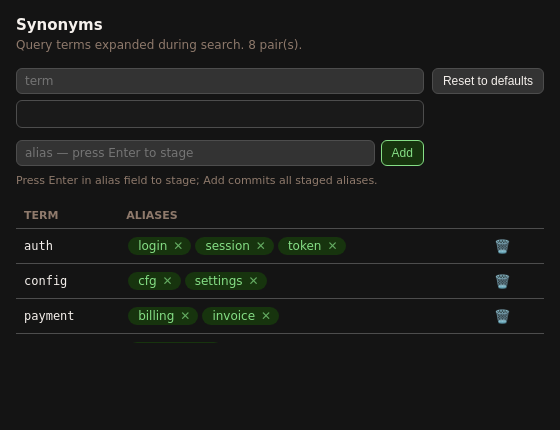
Adding synonyms
- Type a term in the term input (e.g.
payment) - Type an alias in the alias input (e.g.
billing) and press Enter to stage it - Repeat for any additional aliases (e.g.
invoice) - Click Add to commit all staged aliases
Staged aliases appear as chips in the staging area. Click the ✕ on any chip to remove it before committing.
Existing synonyms
The table below the add row shows all current synonym pairs. Each row displays the term on the left and its aliases as chips. Click the ✕ on a chip to remove that alias, or the trash icon on the row to delete the entire term.
Reset to defaults
Click Reset to defaults to discard all custom synonyms and restore the built-in pairs.
How synonyms affect search
Synonyms expand at query time across all search surfaces: travsr ask, the Ask Symbol panel, and all MCP tools (get_context, search_symbol). If payment → billing, invoice, then a query for any of the three matches nodes tagged with all three.
Synonyms are stored in .travsr/synonyms.toml in the repository root and are per-repo.
CLI equivalent
# Add aliases
travsr synonym add payment billing invoice

# List all pairs
travsr synonym list

# Remove an alias
travsr synonym remove payment invoice

# Reset
travsr synonym reset
See travsr synonym for the full CLI reference.