travsr synonym
Manage query-time synonym pairs. Synonyms expand search terms at query time, if payment maps to billing and invoice, then searching for any of the three will match nodes tagged with all three.
Subcommands
| Subcommand | Description |
|---|---|
travsr synonym add <term> <alias>... | Add one or more aliases to an existing term (or create a new entry) |
travsr synonym set <term> <alias>... | Replace all aliases for a term |
travsr synonym remove <term> [alias] | Remove a specific alias, or remove the entire term |
travsr synonym list | Print all synonym pairs |
travsr synonym reset | Reset to built-in defaults |
travsr synonym add
travsr synonym add <term> <alias1> [alias2 ...]
Adds one or more aliases to a term. Creates the entry if it doesn't exist.
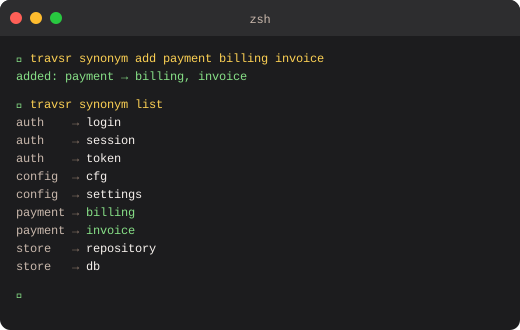
$ travsr synonym add payment billing invoice
added: payment → billing, invoice
travsr synonym set
travsr synonym set <term> <alias1> [alias2 ...]
Replaces all aliases for a term (discards any previously added aliases).
$ travsr synonym set payment billing invoice charge
set: payment → billing, invoice, charge
travsr synonym remove
Remove a specific alias from a term:
$ travsr synonym remove payment charge
removed: payment → charge
Remove the entire term and all its aliases:
$ travsr synonym remove payment
removed all aliases for: payment
travsr synonym list
$ travsr synonym list
auth → login
auth → session
auth → token
config → cfg
config → settings
payment → billing
payment → invoice
store → repository
travsr synonym reset
$ travsr synonym reset
reset to static defaults
Restores the built-in synonym pairs and discards any custom ones.
How synonyms affect search
Synonyms expand at query time in both the CLI (travsr ask) and all MCP tools (get_context, search_symbol). A query for billing will also match nodes whose names or signatures contain payment or invoice, and vice versa.
Synonyms are stored in .travsr/synonyms.toml in the repository root. They are per-repo.
VS Code
The Synonyms panel in the VS Code sidebar lets you manage synonym pairs visually without touching the CLI. See Synonyms Panel.