Repos Panel
The Repos panel shows all repositories in the Travsr registry, the list of repos the daemon knows about and their database state. Open it with Travsr: Registered Repos from the command palette or the activity bar.
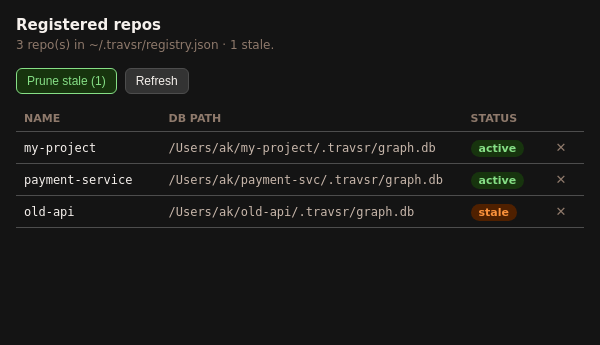
Columns
| Column | Description |
|---|---|
| Name | Repository name (derived from the directory name at init time) |
| DB Path | Absolute path to the .travsr/graph.db file |
| Status | active (green) when the DB file exists on disk; stale (orange) when the registry entry points to a path that no longer exists |
Toolbar
| Button | Action |
|---|---|
| Prune stale (N) | Removes all stale registry entries in one click. The number in parentheses shows how many stale entries exist. |
| Refresh | Re-reads the registry from disk |
Per-row actions
The ✕ button at the end of each row removes that entry from the registry. This does not delete the repository directory or its database file.
CLI equivalent
travsr repos          # list all repos
travsr repos --prune  # prune stale entries
travsr repos --remove my-project  # remove a specific entry
See travsr repos for the full CLI reference.